Most PDF mergers upload your files to a server. PDF Tool merges them entirely inside your browser, so contracts and confidential documents stay on your device.
100% FREE · ON-DEVICE
Merge PDF Files — Combine Multiple PDFs into One
No accountNo limitsEvery feature $0
Combine reports, invoices, and scans into one PDF in the order you choose. Completely free with no account and no usage limits — your files never leave your device.
MERGE PDF
Turn PDFs into one document.
Check the first-page previews, arrange the order, and combine every page as-is.
Drop PDFs here2 or more files · multiple selection supported
Combine multiple PDFs in your chosen order
Combine reports, invoices, scans, or handouts into one continuous PDF. First-page previews help identify each file, and original page sizes and rotation are preserved.
Useful for
- Combine several submission documents into one file
- Arrange a cover, main document, and appendices
- Join PDFs containing both A4 and landscape pages
Complete it in three steps
- 1Choose two or more PDF files.
- 2Review the previews and drag files into reading order.
- 3Select Merge PDF and save the combined document.
How this differs from upload-based PDF tools
No file-count caps, no size-based paywalls, and no watermarks. Merge as many PDFs as you like, as often as you like, for free.
No sign-up and nothing to install. Open the page on your phone or computer and merge PDFs right away.
Frequently asked questions
Can I merge PDFs with different page sizes?
Yes. Every page keeps its original dimensions and orientation.
Is there a file-count limit?
There is no fixed limit; practical capacity depends on available device memory.
Is merging PDFs free?
Yes, completely. There is no limit on files or merges and no paid plan.
Are my files uploaded to a server?
No. Merging happens inside your browser, and neither file contents nor file names are sent anywhere.
Can I merge PDFs on my phone?
Yes. Open the page in Safari or Chrome on iPhone or Android, select your PDFs, and merge them on the spot.
PDF TOOL GUIDES
Practical guides for every task
Find a safe, reliable workflow for your image format, device, and document task.
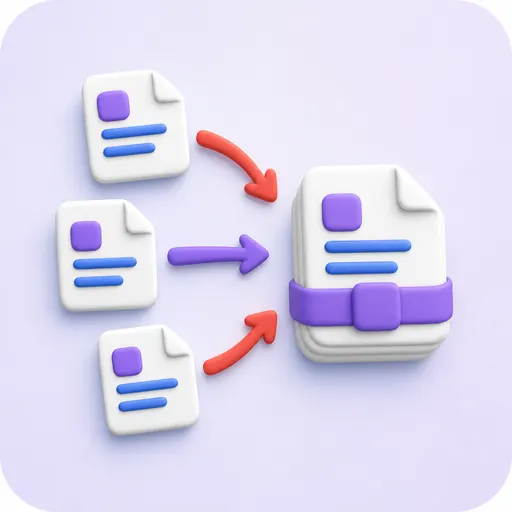 Your goalHow to Merge Multiple PDF FilesCombine documents, invoices, or handouts in any order without uploading them.View detailsYour goalMerge PDFs with Different Page SizesCombine A4, landscape, and scanned PDFs while preserving their original dimensions.View detailsYour goalHow to Merge PDFs on Your Phone (iPhone & Android)Merge PDF files directly in Safari or Chrome on your phone — no app install, no account, and no uploads.View details
Completely freeNo account or usage limits
No uploadsEverything runs in your browser
Nothing storedYour data disappears when you close